Embedding Funding Opportunities
Creating Embedded Searches and Lists
You can embed live Pivot-RP search results and lists of selected funding opportunities on your own webpages. The level of content displayed for the opportunities depends on whether the user is logged in to Pivot-RP.
Administrators can create embedded searches and lists in Admin > Tools > Embedded Searches > Create an Embedded Search.
- Follow the on-screen steps to set parameters:
- Name your search or list
- Choose the curated search or list you want to share
- Pick sorting order for results
- Add an admin co-owner
- Click Save to get an iframe code snippet to embed in your web page, and see a preview of the embedded search results
Managing Embedded Searches and Lists
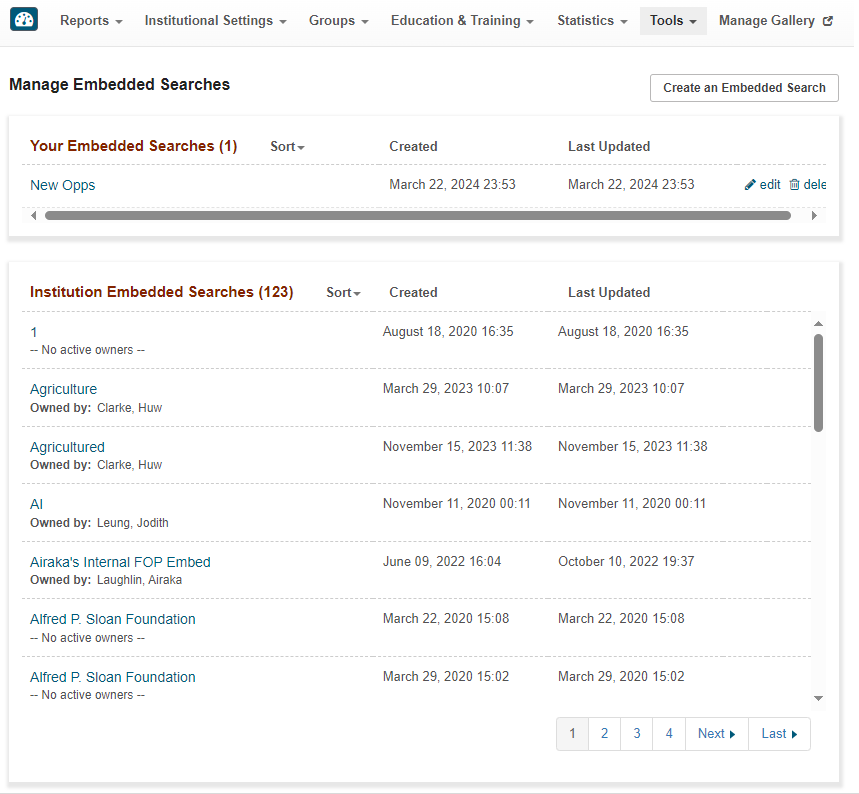
To edit and delete embedded searches and lists go to Admin > Tools > Embedded Searches> Manage Embedded Searches.
Select an embedded search title to display the embedded code snippet and its preview page.
For your embedded searches only, you can also select the following row actions:
- Edit: change any parameters (e.g., Funding Opportunities to Share). After saving, the original code snippet stays the same, and updates appear instantly on all pages where it is embedded.
- Delete: select this action to delete an embedded search that is no longer needed. It is recommended that you remove the code snippet from the Web pages on which it is embedded.